
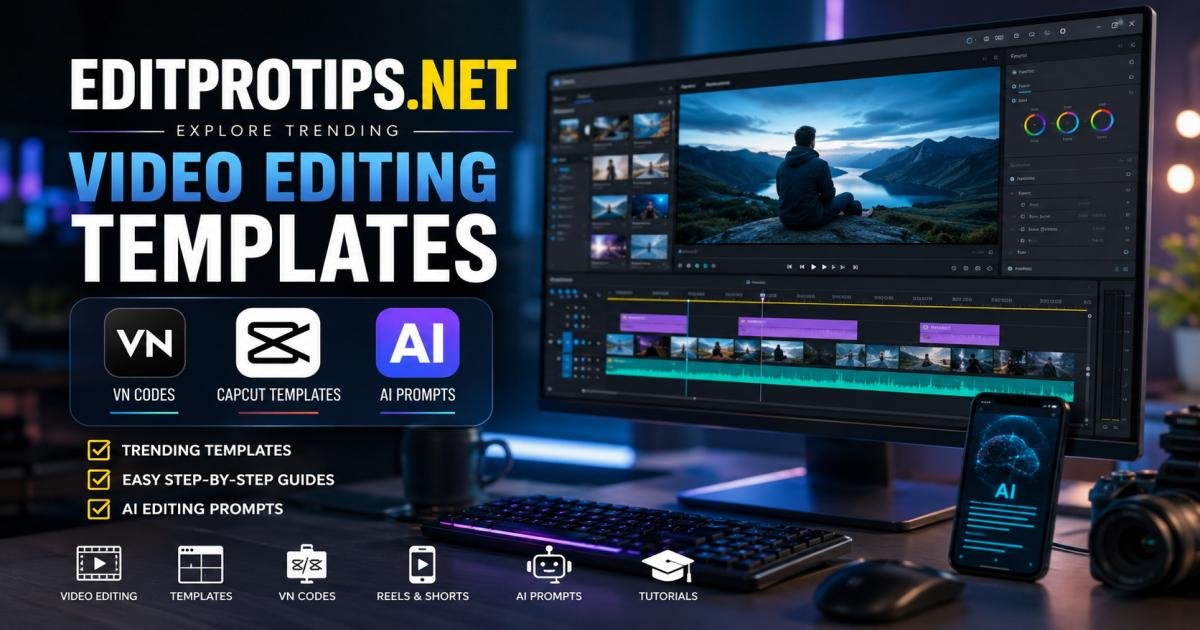

EditProTips. net is a free website that collects CapCut templates, VN codes, AI photo and video prompts, and simple tutorials. Creators visit it to build Instagram Reels, TikTok clips, and YouTube Shorts without starting every project from a blank timeline.
The site works best for phone-based editors who want current styles. You open a post, follow the short steps, load the template or code into CapCut or VN Video Editor, replace the demo clips with your own photos or footage, and export. Most people finish a polished Reel in under ten minutes once they know the process.
What Is EditProTips. net?
EditProTips. net gathers ready-made editing resources for mobile creators. It does not sell software or run a paid membership. Instead, it posts links to CapCut templates, QR-style VN codes, copy-and-paste AI prompts, and clear how-to guides.
You will find templates that already contain transitions, timing, text placement, and often music cues. VN codes load an entire project structure into the VN app so you only swap media. AI prompts help turn ordinary photos into stylized images or guide short AI video effects. Tutorials explain each step in plain language.
Beginners use the site to learn by doing. Regular social media creators use it to keep up with weekly trends. Freelance editors sometimes pull a base structure and then customize it for clients. The focus stays on practical templates, codes, prompts, and tutorials rather than long theory lessons.
What Can You Find on EditProTips. net?
Trending Video Editing Templates
Posts often feature CapCut templates matched to current Instagram and TikTok styles. Examples include velocity edits, flash cuts, lyric-synced transitions, slow-motion reveals, and festival-themed effects. Many posts give a direct link that opens CapCut. You tap “Use Template,” drop in your clips, and the effects apply automatically.
VN Codes for Reels and Short Videos
VN codes appear as QR images or project codes. Scan one inside the VN Video Editor app and the full edit loads — cuts, transitions, effects, and timing included. These work well for Reels that need smooth motion or specific pacing popular that week.
AI Photo and Video Editing Prompts
The site shares ready text prompts for tools such as Google Gemini, ChatGPT image features, or CapCut’s AI tools. Typical uses include cleaner portraits, cinematic stills, butterfly or fire-hand effects, and short motion sequences. You copy the prompt, paste it, and generate.
Step-by-Step Editing Tutorials
Most articles walk through the exact clicks needed. They show how to open the template, replace media, adjust text or crops, and export at 1080p. Some also cover common problems and small fixes that make the video look more personal.
How EditProTips. net Helps You Create Trending Videos
Short-form trends shift quickly. Building every transition by hand takes time most creators do not have. EditProTips. net gives you a working structure that already matches popular styles. You replace the sample clips with your own photos or footage and export.
A beginner can post a cleaner Reel on the first try. A daily creator can test two or three styles in the time it once took to finish one manual edit. Because the site updates with new posts as trends change, the resources stay useful week after week.
VN Codes on EditProTips. net: How They Work
What Is a VN Code?
A VN code stores a complete project for the VN Video Editor app. It holds the cuts, effects, text positions, and timing in a shareable form, usually shown as a QR image. When scanned, VN rebuilds the project so you only need to add your media.
How to Use a VN Code
- Take a clear screenshot of the QR code or image from the post.
- Open the VN Video Editor app.
- Tap the scanner icon.
- Select the screenshot from your gallery.
- Choose “Use” once the template loads.
- Replace every demo clip with your own photos or videos.
- Crop or adjust text if needed, then export at 1080p.
If the scan fails, crop tighter around the QR or take a fresh high-resolution screenshot.
How to Choose the Right VN Template
Watch the sample video first. Note how many clips it needs, the mood, and the length. Match it to the photos or footage you already have. Skip templates that demand many clips if you only have a few strong shots.
Common VN Code Problems and Solutions
- Scan fails: Use a clearer screenshot and crop close to the code.
- No “Use” button appears: Download the template first, then open it again.
- Clips look stretched: Crop each one to the template’s frame.
- Low export quality: Select 1080p and a higher bitrate when available.
CapCut Templates and Trending Reel Ideas
Finding Templates for Instagram Reels
Look for recent posts that mention current songs, effects, or styles. Many templates open straight in CapCut. Replace the media, check the text, and export in vertical 9:16 format.
Choosing Templates for TikTok and YouTube Shorts
The same CapCut templates usually work across platforms. Faster, trend-audio styles suit TikTok. Slightly longer or story-driven ones often perform better on YouTube Shorts. Check the sample length so your finished video fits the platform.
Matching Templates to Your Photos and Footage
Count the media slots the template requires. Gather clear, well-lit vertical clips of similar quality. If the template expects close-ups, use them. Consistent lighting across clips makes the final video look cleaner.
Tips for Making Template-Based Videos Look Original
Change the text style or wording. Replace the music after export with a track you have rights to use. Adjust the speed of one or two transitions. Add a personal caption or a light color shift. These small changes help the video feel like yours.
AI Editing Prompts Available on EditProTips. net
AI Photo Enhancement Prompts
These prompts improve ordinary phone photos. They can add better light, sharper detail, cleaner backgrounds, or a more polished portrait look. Copy the prompt into an AI image tool and generate.
Cinematic Photo Editing Prompts
Prompts in this group create movie-style stills. Soft film grain, dramatic lighting, and shallow depth of field are common. They work well for profile pictures, thumbnails, or story covers.
AI Video Editing Prompts
Some prompts guide AI video tools or CapCut’s AI features. Others describe motion styles and camera moves you can recreate. Results depend on the tool and the quality of your starting material.
Important Limitations of AI Editing
AI can struggle with consistent faces across frames. Hands and fine details often look unnatural. Generated clips may be short or limited in resolution. Always review the output and finish the edit in CapCut or VN. Treat AI as a helper, not the final step.
How to Use EditProTips. net for Instagram Reels
Find a Trending Editing Idea
Browse recent posts or check what styles currently get views on Instagram. Look for effects and transitions that fit your content.
Select a Template or VN Code
Pick one that matches the number of clips you have and the feeling you want.
Prepare Your Photos or Clips
Shoot or select clear vertical footage. Good light and steady shots improve the result more than any template.
EditProTips. net for Beginners: A Simple Workflow
- Open editprotips. net and choose a recent template or VN code that fits your photos.
- Read the short tutorial on the page.
- Load the template in CapCut or scan the code in VN.
- Replace every demo clip with your own media.
- Adjust text or crops if needed.
- Export at 1080p.
- Post the Reel and note what works.
Repeat with different templates. Each round gets faster.
Tips for Getting Better Results From Editing Templates
Use clear original media. Blurry or dark clips stay weak even after effects. Match the template’s energy to your content. Customize text and colors. Please watch the sample video before you begin. Export at the highest quality your phone allows. Preview the finished video on your phone before posting.
Is EditProTips. net Useful for Video Editors and Content Creators?
Benefits for Beginners
You learn structure and timing by using real templates. Finished videos look better than early manual attempts, which builds confidence quickly.
Benefits for Social Media Creators
You publish more often while still matching current styles. Consistent, polished posts usually improve reach over time.
Benefits for Freelance Video Editors
Templates can serve as starting points for simple client Reels. Heavy customization keeps the final work unique and valuable.
EditProTips. net vs. Using Templates Directly in Editing Apps
CapCut and VN already contain template libraries. EditProTips. net adds focused, timely suggestions and written steps. Many creators discover ideas on the site, then apply them inside the apps. Both approaches work; the site simply narrows the search when trends move fast.
Safety, Copyright, and Responsible Use of Editing Resources
Stay on the real website and avoid random installer links that claim to be related tools. Music and effects within templates may have usage limits. For personal Reels, the risk is usually low. For paid or commercial work, replace the music with tracks you control. Change enough elements so the final video is not an exact copy. Your own photos, captions, and small adjustments keep the content original. Follow platform rules and local copyright law.
Final Verdict
If you make Instagram Reels, TikToks, or Shorts and want faster results that match current trends, try editprotips. net. The resources are free and practical. Beginners get a clear path. Daily creators save time. Even experienced editors can pull fresh ideas.
Pick one template or code this week, add your own media, and post the result. Small repeated practice with working tools builds skill faster than waiting for perfect knowledge. Open editprotips. net, choose a recent post, and start editing.
FAQs
What is EditProTips. net?
It is a free site that shares CapCut templates, VN codes, AI editing prompts, and short tutorials for making trending Reels and short videos.
Is EditProTips. net useful for beginners?
Yes. The ready structures and clear steps help new creators produce cleaner videos faster.
What are VN codes used for?
They load a full edit project into the VN Video Editor app so you can replace the media and export quickly.
Does EditProTips. net provide CapCut templates?
Yes. Many posts include CapCut templates that open directly in the app.
Can I use AI prompts from EditProTips. net?
Yes. Copy them into compatible AI tools and adjust as needed.
Can I use these templates for creating Instagram Reels?
Yes. Most resources are built for vertical short-form video.
How often are new editing resources added?
New posts appear regularly as styles change. Checking weekly keeps the resources current.




[…] E. Mahim August 15, 2026 […]
[…] “new” part matters because template trends move fast on CapCut. Creators keep releasing updated versions with different music tracks and […]