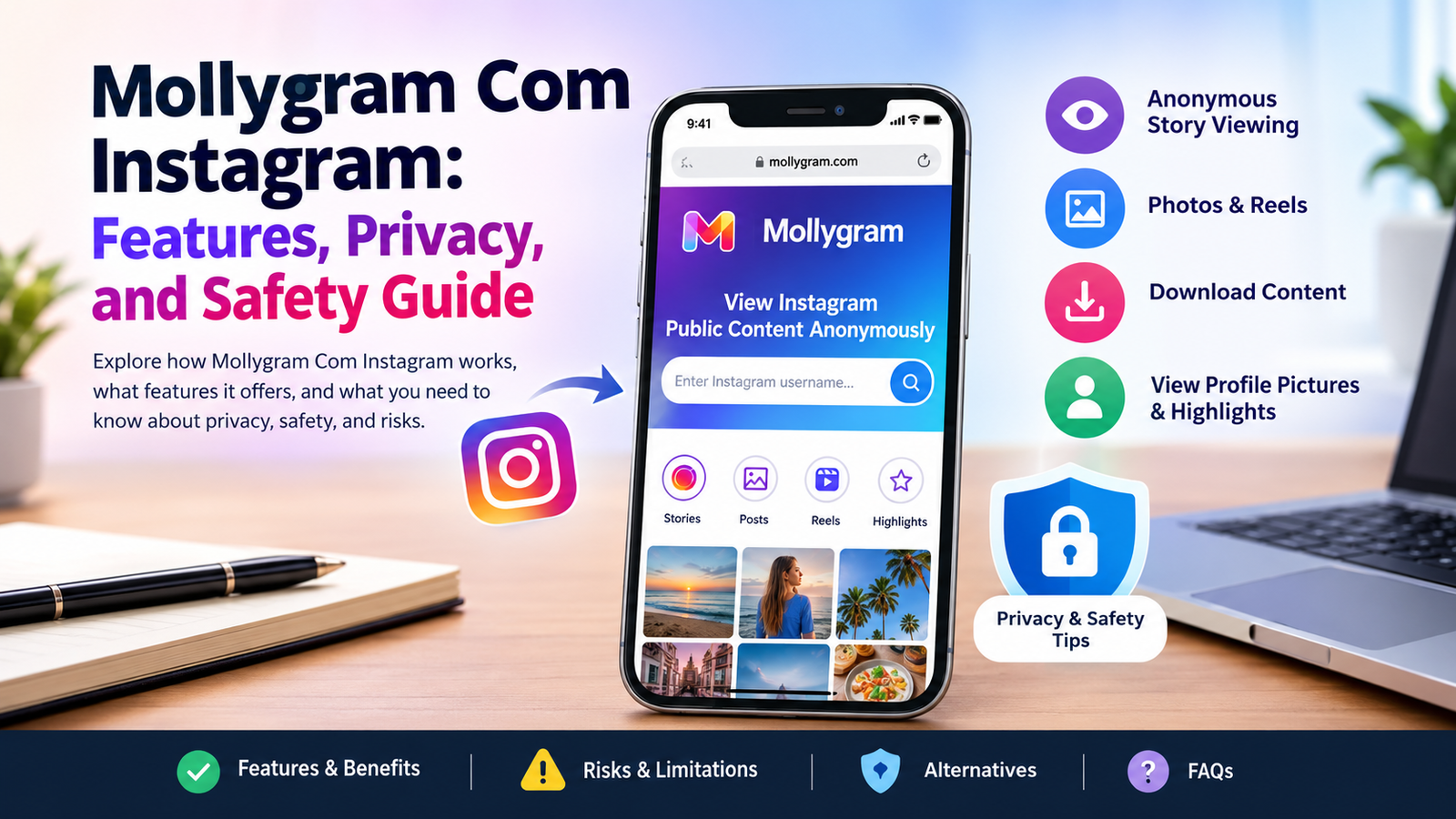

Mollygram Com Instagram is a free browser tool that shows public Instagram Stories, Reels, posts, Highlights, and profile pictures. You type a public username or link. The site loads the content. Your Instagram account stays off the Story viewer list. It does not work on private accounts. This guide explains what it does, how it works, the real privacy limits, safety points, and practical tips for users in India and worldwide.
What Is Mollygram Com Instagram?
Mollygram is an unofficial website. People also call it an Instagram viewer or anonymous Story viewer. It pulls public Instagram content and shows it in a simple page. You open it in any browser. No app is needed. No Instagram account is required for the basic public view.
People search for Mollygram Com Instagram when they want to check public Stories without their name appearing in the viewer list. Others use it to save public photos or Reels quickly. Content creators sometimes check public competitor accounts this way. The tool has been around for years under related names and still runs as a free, ad-supported service.
It is not part of Instagram or Meta. The site states it has no official link to Instagram. It only shows content the account owner already made public.
How Mollygram Com Instagram Works
Open mollygram.com in your browser. Type a public Instagram username or paste a profile link. Hit the view or search button. The page loads available public Stories, Highlights, Reels, posts, and the profile picture.
The tool’s servers request the public data. Instagram sees the request from the tool, not from your personal account. That is why your username does not join the Story viewer list.
If the account is private, the Story has expired, the username is wrong, or the tool faces a temporary block, you see little or nothing. The site only displays what is public at that moment.
Key Features of the Mollygram Instagram Viewer
Anonymous Instagram Story Viewing
You can watch current public Stories. Your account name stays off the owner’s viewer list. This is the main reason most people try the tool.
Viewing Public Reels and Posts
Public Reels, photo posts, and videos appear in the same interface. You browse them without opening the Instagram app.
Instagram Highlights and Profile Pictures
Saved Highlights stay available longer than regular Stories. The tool can show them for public accounts. Profile pictures often open in a larger size.
Downloading Public Photos and Videos
When a download button appears, you can save public photos (usually as JPG or PNG) and videos or Reels (usually as MP4). Quality matches what the original uploader posted. Carousel posts may need separate saves for each image.
Can You View Instagram Stories Anonymously With Mollygram?
In the official Instagram app, watching a Story adds your account to the viewer list. Mollygram routes the request through its own servers. Your personal Instagram account never makes the view, so your name does not appear.
Account owners still see the normal list of people who viewed through Instagram. They do not see views that came only through this third-party tool.
The word “anonymous” has limits. Your Instagram identity stays off the Story list for public content. The website itself can still see your IP address, device type, browser, and the usernames you search. Ad networks on the page can collect similar details. It is limited anonymity focused on the Instagram viewer list, not full privacy.
Is Mollygram Com Instagram Safe to Use?
The strongest safety point is simple: the main site does not ask for your Instagram password. That removes the most common risk of account theft. Reviewers who tested it in 2026 confirmed it requires no login for public content.
Risks still exist. Free tools run on ads. You may see display ads, video ads, or pop-ups. Some buttons look like downloads but lead elsewhere. Use care with unexpected prompts. Never install software the page suggests.
Clone sites with similar names appear often. Some ask for logins or promise private-account access. Those are unsafe. Stick to the exact domain mollygram.com and look for the HTTPS lock in your browser.
The tool sits outside Instagram’s rules. Instagram can block it at any time. Reliability can change without notice.
Privacy Details Around Mollygram
Most free viewer sites collect technical data. This typically includes IP addresses, device information, browser details, timestamps, and the usernames searched. Ad and analytics partners may receive similar information.
Using a VPN can hide your direct IP from the site. It does not stop all tracking on the page. Anonymous viewing of public Stories does not equal private browsing overall.
Can Mollygram View Private Instagram Accounts?
No. Public profiles share content with anyone. Private profiles share only with approved followers. Mollygram and similar tools reach only what is already public.
Close Friends Stories and private posts stay locked. Any site that promises to open private accounts is either wrong or unsafe. Instagram’s privacy settings block that access.
Warning signs of fake tools include claims about private accounts, requests for your Instagram login, or demands for payment to unlock private content. Avoid them.
How to Download Instagram Content Using Mollygram
- Go to mollygram.com.
- Enter the public username or paste a specific post, Reel, or Story link.
- Open the item you want.
- Click the download button if it appears.
- Save the file to your device.
Stories disappear after 24 hours unless the owner saved them as Highlights. Reels and posts usually stay longer. Success depends on the content still being public and the tool working that day.
Creators own their photos and videos. Saving for personal reference is common. Re-uploading or using the content for commercial purposes without permission can break copyright rules. Respect the original owner.
Pros and Cons of Mollygram
Benefits
- No Instagram login needed for public content
- Works in any browser on phone or computer
- Keeps your account off the Story viewer list for public Stories
- Lets you download many public photos, videos, and Reels
- Free to use
- Shows several content types in one place
Limits
- Public profiles only
- Ads and occasional redirects
- Can stop working when Instagram updates its systems
- No likes, comments, or full interaction
- Not a permanent archive or activity tracker
- Technical data may still be logged
Mollygram Versus the Official Instagram App
Instagram is the official platform. It needs an account for full use. It shows viewer lists on Stories. It does not offer built-in anonymous viewing or easy downloads.
Mollygram is a third-party layer. It only shows public content and skips the personal login for those views. For daily social use, messaging, and following people, the official app is clearer and more reliable. For a quick public check without logging in, Mollygram can serve that narrow need if the site is working.
Best Alternatives for Public Instagram Content
The official Instagram website and app remain the safest long-term choice when you are willing to log in and appear in viewer lists.
Other free public viewers include AnonyIG, StoriesIG, and similar tools. Features, ad levels, and uptime shift often. Some focus more on Stories. Others handle posts or downloads better. Check that they never ask for logins and clearly state they work only with public content.
Compare tools by these points: no login requests, clear public-only limits, working HTTPS, reasonable ads, and recent reports of reliability. Avoid any that promise private-account access.
Common Problems and Simple Fixes
If the page does not load, refresh it, try another browser, or wait a short time. Instagram sometimes blocks third-party tools temporarily. Confirm you are on the correct domain.
If a profile or Story does not appear, check the username spelling and confirm the account is public. Stories may have expired.
If the download button fails, ads or scripts may interfere. Try again later or switch networks. Some items simply do not offer a download at that moment.
Who Should Use It and Who Should Skip It
Casual users who want a quick look at public Stories or Reels without logging in may find it useful for occasional checks.
Content creators or researchers monitoring public accounts can use it for reference as long as they stay on public content and respect copyright.
People who need private-account access, full anonymity, guaranteed uptime, or official support should skip third-party viewers. Users who want maximum security or dislike ads should stay with official Instagram.
Final Verdict on Mollygram Com Instagram
Mollygram Com Instagram does what it mainly claims for public content. You can view and often download public Stories, Reels, posts, Highlights, and profile pictures without an Instagram login and without your name joining the Story viewer list. It works for casual public checks when the site is up and the profile is public.
Limits are firm: public profiles only, ads, possible technical logging, and no promise of permanent availability. Never enter passwords. Avoid clone sites. Prefer the official Instagram app when account safety or daily features matter.
Frequently Asked Questions About Mollygram Com Instagram
What is Mollygram Com Instagram used for?
It shows public Instagram Stories, Highlights, Reels, posts, and profile pictures without a login and lets you download many of those public items.
Is Mollygram Com Instagram free?
Yes. The main viewer and download features are free and run on ads.
Can I view Instagram Stories without logging in?
Yes, for public accounts. Enter the public username on the site and open the available Stories.
Is Mollygram safe for Android and iPhone users?
The web version works in mobile browsers on both. Avoid unofficial apps or APKs that ask for logins. Use the browser site and normal caution with ads.
Can Mollygram notify someone when I view their Story?
No. Because the request does not come from your personal Instagram account, your username should not appear in the owner’s viewer list for public content viewed this way.
Check the current status of any third-party tool yourself. Stay on public content only. Put your own account security first.