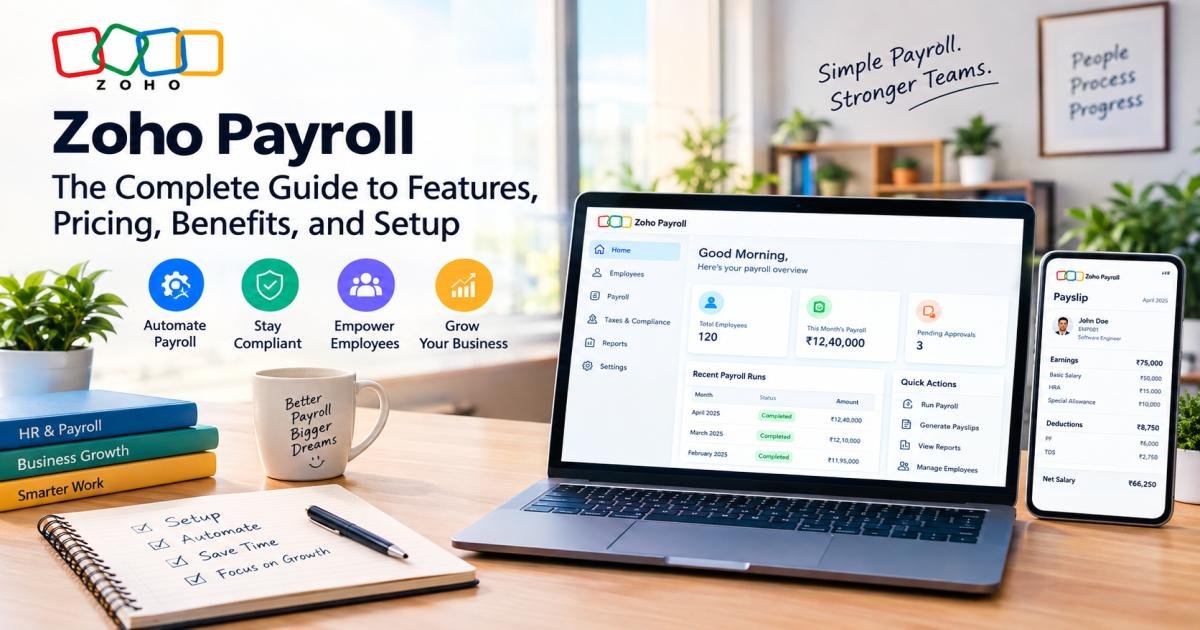

Zoho Payroll is cloud-based payroll software that calculates salaries, deducts the correct taxes, pays employees, and files statutory returns automatically. Zoho reports that more than 10,000 businesses now run payroll on the platform. The software targets small and mid-sized businesses that want accurate payroll without hiring a full payroll team. Run a company with even five employees, and you already know that manual payroll spreadsheets, formulas, and manual tax lookups eat hours every month and leave room for costly mistakes. Zoho Payroll removes that manual work: it does the math, tracks the deadlines, and keeps every record in one place.
This guide serves business owners, HR managers, and finance teams evaluating whether Zoho Payroll fits their company. It suits founders running their first payroll cycle just as well as finance leads migrating off an older system. You’ll learn what Zoho Payroll does, what it costs, how setup works, and whether it earns a spot in your business.
What Is Zoho Payroll?
Zoho Payroll is software that runs your company’s payroll from start to finish. You enter employee salary details once; the system then calculates gross pay, deducts taxes and other withholdings, and prepares net pay every cycle, without anyone redoing the math by hand.
How does Zoho Payroll actually work? You set up salary structures for each role; the software applies your pay schedule and any state or local tax rules, calculates deductions, and generates a payslip. Once a manager approves the pay run, the software sends payments directly to employee bank accounts and files the required tax paperwork.
Who can use Zoho Payroll? Small businesses use it to avoid hiring dedicated payroll staff. Startups often choose it early because it scales as headcount grows. Growing companies with employees across multiple states or regions rely on it for consistent, rule-based calculations instead of manual tracking. With more than 10,000 businesses already using the platform, that scaling pattern has real precedent.
HR and finance teams get a direct benefit too: the software cuts repetitive work. HR no longer manually collects and re-enters employee data across systems, and finance doesn’t have to double-check every payslip by hand, since the calculations follow the same rules every cycle.
How Does Zoho Payroll Work?
Running payroll on Zoho Payroll follows a consistent sequence each cycle, though the first cycle takes more setup time than the ones after it.
It starts with employee and payroll data setup: you enter names, bank details, tax information, and job details once, and the system stores them centrally. Next comes salary structure configuration, where you define what each role or employee earns: basic pay, allowances, bonuses, and other components.
Once you set the structures, payroll calculation runs each pay period automatically, pulling in deductions and taxes based on the rules that apply to that employee’s location. A designated approver then reviews the numbers during payroll approval before anything goes out.
After approval, salary disbursement happens, typically through direct deposit to employee bank accounts. The system then produces payslips and payroll reports so both the employee and the business keep a record. At the close of the financial year, year-end payroll activities like generating annual tax documents close out the cycle.
Key Features of Zoho Payroll
Employee Management
Zoho Payroll stores each employee’s personal details, tax information, compensation structure, benefits, and time-off policies in one profile. Employees can view and update select details themselves through the self-service portal, which cuts HR data entry significantly.
Automated Payroll Processing
Automation sits at the core of the platform. The system calculates gross pay, deductions, and net pay without manual formulas, so your team gets accurate paychecks without manual intervention each cycle.
Salary Structure and Components
You can build custom salary structures with multiple components: basic pay, house rent allowance, special allowances, and bonuses matched to how your company actually pays people.
Employee Self-Service Portal
Employees log in through a web portal or mobile app to view payslips, download tax forms, check leave balances, and update their own information, which cuts back-and-forth with HR.
Leave and Attendance Management
Leave balances and attendance records feed directly into payroll calculations, so unpaid leave or overtime shows up correctly in each payslip without manual adjustment.
Contractor Payroll
Beyond regular employees, Zoho Payroll also pays contractors, a feature that matters for companies mixing full-time staff with freelance or contract workers.
Payslips and Payroll Documents
The system generates digital payslips automatically each cycle and shares them with employees through the portal, along with other payroll documents like tax withholding forms.
Payroll Reports and Analytics
Built-in reports cover payroll expenses, tax liabilities, and compensation trends, giving finance teams visibility without building reports from scratch.
Salary Revisions and Off-Cycle Payroll
When someone gets a raise mid-year or needs an off-schedule payment like a bonus or final settlement, the system runs off-cycle pay alongside your regular schedule.
Payroll Approvals and Role-Based Access
Larger teams can set up approval workflows and custom user roles, so payroll only goes out after the right person signs off, and sensitive data stays restricted to authorized users.
Payroll Notifications and Customization
The platform sends reminders for pay run deadlines and compliance due dates, and you can customize settings to match how your business actually operates.
Zoho Payroll for Businesses Outside the US
Payroll rules differ sharply by country, and getting them wrong carries real financial and legal risk. Late tax filings and incorrect deductions can trigger penalties no matter where a business operates. That’s why Zoho Payroll builds separate, localized editions instead of one generic global product.
Zoho Payroll’s India edition, for example, supports income tax, Employee Provident Fund (EPF), Employee State Insurance (ESI), Labour Welfare Fund (LWF), and state-specific Professional Tax calculations, since Indian payroll compliance varies by state as much as by national law. Businesses with staff across several Indian states gain real value from this state-aware calculation, since manually tracking which rules apply where causes some of the most common payroll errors. Zoho also runs editions for the United States, Canada, and the GCC region (UAE, Saudi Arabia, and other Gulf countries), each configured for that region’s tax and labor rules. Confirm the right country-specific edition matches your actual headcount location before you subscribe, since feature depth and support can vary by region.
Zoho Payroll Compliance and Tax Features (India Edition)
India’s payroll compliance stacks national tax law on top of state-specific rules, so this section covers what the India edition specifically handles.
Income Tax and TDS
The system calculates each employee’s income tax liability and generates an automatic TDS (Tax Deducted at Source) worksheet, so it withholds the right amount from salary every cycle.
How Does Zoho Payroll Handle EPF and PF Contributions?
The software calculates Employee Provident Fund contributions automatically for both employer and employee shares, following current EPF rules.
Does Zoho Payroll Calculate ESI?
Where it applies, the system calculates and tracks Employee State Insurance contributions as part of the standard pay run.
Professional Tax
Since Professional Tax rates and rules differ by Indian state, the software applies the correct state-wise rate automatically instead of requiring manual lookup.
Labour Welfare Fund
The system calculates and tracks LWF contributions,s which also vary by state and are mandatory in several states, within the same pay run.
Statutory Bonus
Where Indian labor law requires it, the software can factor statutory bonus obligations into payroll calculations.
Gratuity
Zoho Payroll tracks gratuity liability as it accrues, which helps businesses stay ahead of this long-term compliance obligation instead of calculating it only when an employee leaves.
Payroll and Tax Reports
The India edition generates Form 24Q and other pre-formatted statutory reports, which simplifies return filing considerably compared to compiling this data by hand.
Compliance Deadlines and Reminders
Because statutory filings in India carry strict deadlines, the platform sends reminders ahead of due dates to cut the risk of late or missed filings.
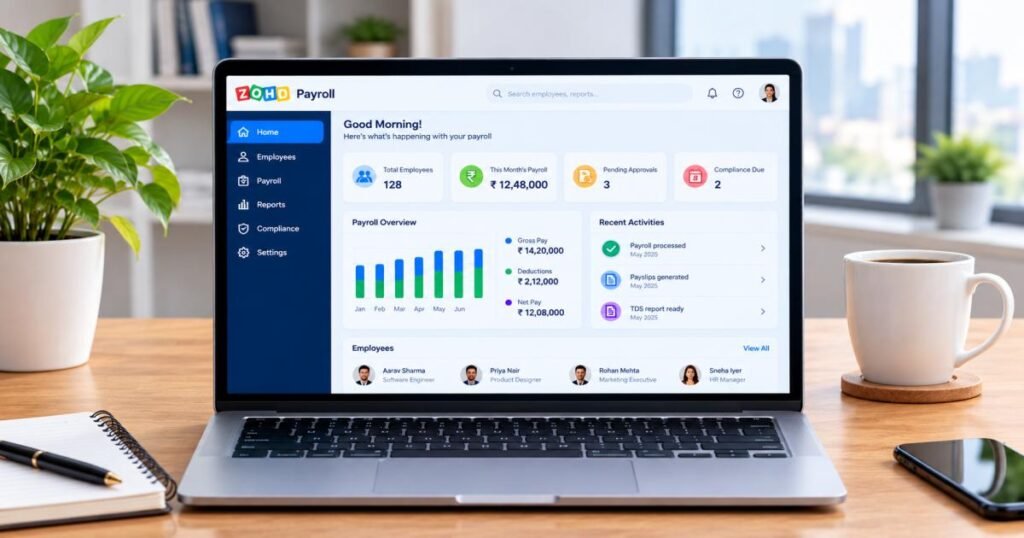
Zoho Payroll Pricing and Plans
Pricing varies by country edition, so the figures below cover the two markets with the clearest published rate cards: the United States and India. Check Zoho’s own pricing page for your region before subscribing, since rates change periodically.
Is Zoho Payroll Free?
Partially. India offers a genuine, permanent Free plan for very small teams. The US and other editions instead offer a 14-day free trial with full feature access and no credit card required.
Zoho Payroll Free Plan
In India, the Free plan covers up to 10 employees at no cost and still includes real statutory calculation income tax, EPF, ESI, state-wise Professional Tax, and LWF, plus payslips, an automatic TDS worksheet, and the self-service portal.
Zoho Payroll Standard Plan
In the US, Standard costs $39/month billed monthly (or $29/month billed annually), plus roughly $6 per employee monthly (or $5 annually), and it covers single-state payroll across all 50 states. In India, Standard runs about ₹1,250/month billed monthly (or ₹1,000/month billed annually) for up to 25 employees, with additional employees billed separately, plus applicable GST.
Zoho Payroll Professional Plan
The US Professional plan costs $59/month billed monthly (or $49/month billed annually), plus a higher per-employee rate, and it adds multi-state payroll, bonus pay runs, multiple pay rates, and custom user roles. India’s Professional plan runs roughly ₹3,750/month billed monthly (or ₹3,000/month billed annually) for up to 50 employees.
Zoho Payroll Premium Plan
India also offers a Premium tier, priced near ₹5,000/month billed monthly (or ₹4,000/month billed annually) for up to 50 employees, which adds leave and attendance management, a feature India’s tier structure keeps out of Standard and Professional.
Monthly vs. Annual Pricing: Which Saves More?
Across every plan and region, annual billing costs noticeably less per month than monthly billing, typically a meaningful percentage lower,r so businesses confident in their long-term usage save real money by committing annually.
Additional Employee Charges
Beyond the base employee count each plan includes, the platform bills additional employees per head, per month, at a rate that varies by plan tier and region.
Zoho Payroll Free Trial
Every paid edition includes a 14-day free trial with unrestricted access to that edition’s full feature set, so you can test real payroll cycles before paying anything.
Which Zoho Payroll Plan Should You Choose?
Match the plan to what you actually need rather than the lowest sticker price. A single-location small team fits Standard. A company spanning multiple states or needing approval workflows fits Professional. In India specifically, a business that wants built-in leave and attendance tracking, rather than running it through a separate tool, should budget for Premium.
Benefits of Using Zoho Payroll
Saves Time and Reduces Manual Work
Automated calculations replace hours of spreadsheet work every pay cycle, freeing HR and finance staff for higher-value tasks.
Reduces Payroll Calculation Errors
Because the same rules apply consistently every cycle, manual math or entry errors drop sharply compared to spreadsheet-based payroll.
Simplifies Payroll Compliance
Built-in tax rules and automatic filing cut the research burden business owners would otherwise carry by tracking changing regulations themselves.
Improves Employee Experience
Self-service access to payslips and tax documents gets employees instant answers instead of a wait on HR for routine requests.
Automates Salary Payments
Direct deposit integration gets salaries into employee accounts without a manual bank transfer for each person, every cycle.
Centralizes Payroll Data
Employee records, salary history, tax documents, and reports all live in one system instead of scattered across spreadsheets and email threads.
Supports Business Growth
Because the platform scales from a handful of employees to hundreds a pattern reflected in Zoho’s own claim of over 10,000 businesses using the product companies don’t need to switch payroll systems as they grow. They simply move up a plan tier.
Improves Payroll Visibility and Reporting
Built-in reports give business owners a clear, current view of payroll costs and tax liabilities without pulling data manually.
Zoho Payroll Integrations
Zoho People Integration
Connecting Zoho Payroll with Zoho People, Zoho’s HRMS product, syncs employee profiles automatically and pulls in Loss of Pay (LOP) and attendance data, so payroll reflects actual hours worked without manual entry.
Zoho Books Integration
This integration automatically records every payroll transaction and tax liability into the right accounts in Zoho Books, Zoho’s accounting software, which keeps financial records accurate without manual journal entries.
Zoho Expense Integration
Approved employee expense reimbursements from Zoho Expense flow directly into the same pay run as salaries, so employees receive both in a single payment instead of two separate ones.
Zoho Analytics Integration
Businesses that want deeper payroll insight can connect Zoho Analytics to payroll data and build custom dashboards and reports beyond what ships inside Zoho Payroll.
Banking Integrations
Zoho Payroll connects with select banks to support direct salary disbursement, which is what makes same-platform payment possible instead of exporting a file to a separate banking portal.
Third-Party and Custom Integrations
Zoho Payroll also offers an API, which lets businesses with more specific needs build custom connections to tools outside the Zoho ecosystem, though native third-party (non-Zoho) integrations stay more limited than the in-house ones.
How to Set Up Zoho Payroll
- Create your Zoho Payroll account: sign up and select the correct country edition for where your employees are based.
- Configure organization details: Enter your business name, address, and other identifying details tax filings require.
- Set up payroll preferences choose your pay schedule (weekly, bi-weekly, monthly, or another cycle) and default settings.
- Configure salary component:s build the pay structure components your business uses, such as basic pay and allowances.
- Add or import employees: enter employee details individually or import them in bulk from a spreadsheet.
- Configure taxes and statutory components: set up the tax rules and statutory deductions your region requires.
- Set up leave and attendance:e configure leave policies, or connect Zoho People if attendance tracking lives there instead.
- Connect banking and other integrations: Link your bank account for direct deposit and connect Zoho Books, Expense, or People as needed.
- Configure approval workflows: Decide who needs to review and approve each pay run before payment goes out.
- Run your first payroll process and an initial pay run to confirm everything calculates as expected.
- Review, approve, and process salary payments check the numbers, get sign-off, and release payment.
- Generate payslips and reports: confirm payslips generate correctly and pull your first payroll report.
How to Run Payroll in Zoho Payroll
Once setup finishes, each regular pay cycle follows a shorter, repeatable routine. Start by reviewing employee data to confirm nothing changed since the last cycle a new hire, a resignation, or a bank detail update. Next, check attendance, leave, and loss of pay figures, since unpaid leave directly affects that cycle’s net pay.
From there, the system does the heavy lifting: it calculates payroll automatically based on the salary structures and attendance data you’ve confirmed. Before anything goes out, review taxes and deductions to confirm the withholding amounts look correct for each employee.
Once the numbers check out, the designated approver can approve the pay run. The system then generates payslips and processes salary payments through direct deposit. Finally, it generates compliance reports for that cycle, which you’ll want on hand for both internal records and statutory filing.
Zoho Payroll Security and Data Protection
Payroll data is sensitive; it includes salaries, bank details, and personal information,n so security matters as much as features do. Zoho highlights role-based permissions, two-factor authentication, backups, password-protected documents, and activity logs among its security capabilities. Role-based access restricts who can view or edit specific payroll data, which matters in larger teams where not everyone should see every salary. Two-factor authentication adds a login layer beyond just a password. Activity logs track who accessed or changed what, which supports both security audits and internal accountability. Regular data backups guard against data loss, and users can password-protect sensitive documents like payslips before sharing them.
Pros and Cons of Zoho Payroll
Pros
- Automates payroll calculations, cutting manual work and errors
- Built-in compliance support reduces the burden of tracking changing tax rules
- Integrates tightly with other Zoho products (Books, People, Expense)
- Self-service portal cuts routine HR requests
- Pricing stays affordable for small and mid-sized teams
- Offers localized editions for multiple countries and regions
Cons
- Some users flag customer support responsiveness as slower than competitors
- Advanced reporting features run somewhat thinner than dedicated HR analytics tools
- May not fully handle the complexity larger enterprises need
- Native third-party (non-Zoho) integrations stay more limited than Zoho-to-Zoho ones
- Some regional editions are newer and still maturing in feature depth
Who Should Use Zoho Payroll?
Startups get a system that handles compliance correctly from day one, without needing a dedicated payroll hire. Small businesses get an affordable way to automate a process that otherwise eats significant owner or admin time. Medium-sized businesses with more employees and more complex structures benefit from the higher plan tiers’ approval workflows and custom roles.
Growing companies expanding across states or regions get multi-state or multi-country support without switching systems mid-growth. HR and finance teams get a shared, centralized source of payroll truth instead of duplicated spreadsheets. And businesses already using the Zoho ecosystem Books, People, Expense, or CRM get the most value, since the native integrations between these products are where Zoho Payroll’s design really pays off.
Zoho Payroll vs. Manual Payroll: What Changes?
Manual, spreadsheet-based payroll and automated payroll like Zoho Payroll differ across nearly every dimension that matters to a growing business.
On accuracy, manual payroll depends entirely on whoever runs the calculation getting every formula right, every time; a single copied formula error can throw off an entire pay run. Automated payroll applies the same tested calculation logic every cycle. On compliance, spreadsheets require someone to manually track tax rule changes; Zoho Payroll updates its rules on the platform side. On time required, manual payroll typically takes hours per cycle for even a small team, while automated payroll cuts that down to a review-and-approve step once you finish initial setup.
Reporting differs sharply too: pulling a payroll expense report from a spreadsheet means building it from scratch every time, while Zoho Payroll generates it automatically. Employee self-service doesn’t exist in a spreadsheet system at all; employees have to email HR for a payslip copy. And on scalability, a spreadsheet system that works for five employees becomes unmanageable at fifty, while payroll software scales by moving up a plan tier rather than rebuilding your process.
Zoho Payroll vs. Other Payroll Software: How to Compare
Before you choose any payroll software, including Zoho Payroll, compare a few dimensions side by side rather than deciding on brand recognition alone.
Check pricing: not just the base monthly fee but the per-employee add-on cost, since that’s what scales with your team size. Check employee limits: confirm what headcount each plan tier actually includes before additional charges kick in. Check compliance coverage:e confirm the software supports every tax and statutory requirement specific to your country and state, not just the major ones. Weigh integrations: decide whether you need connections beyond the vendor’s own product ecosystem. Weigh automation: look at how much of the pay cycle runs without manual intervention. Check reporting: confirm the built-in reports match what your finance team actually needs. Check support response times and support channels vary meaningfully between vendors. And confirm scalability:y make sure the software can handle your company at double or triple its current size without a painful migration.
This comparison guides your own evaluation rather than declaring a single winner. Competitor pricing and features change often enough that it’s worth checking current numbers directly with each vendor before you decide.
Common Zoho Payroll Mistakes to Avoid
- Incorrect employee information: a wrong bank account number or tax ID causes payment failures or compliance issues down the line
- Incorrect salary components: misconfigured allowances or deductions throw off every future pay run built on that structure.
- Incorrect tax declarations: errors here mean under- or over-withholding, both of which cause problems later.r
- Missing compliance settings: gs skipping a required statutory setting during setup can leave payroll non-compliant without anyone noticing until an audit.t
- Not reviewing payroll before approval: Automation reduces errors but doesn’t remove the need for a human check before payment goes out.
- Ignoring employee attendance and LOP data: outdated attendance data produces incorrect net pay.
- Failing to reconcile payroll with accounting records: Skip this step, and payroll and accounting numbers can drift apart over time without anyone catching it
Final Verdict
Zoho Payroll covers the essentials well: automated calculations, statutory compliance support, direct deposit, self-service access, and solid reporting, all at pricing that stays reasonable as a business grows. From a compliance and automation standpoint, it strips out a meaningful amount of manual risk from a process where errors get expensive fast.
It fits startups, small businesses, and growing companies best, especially those already inside the Zoho ecosystem. Larger enterprises with complex, multi-layered payroll needs should weigh it carefully against more specialized enterprise payroll platforms. For the audience this guide serves, Zoho Payroll stands as a solid, well-rounded choice worth trialing before you commit,t and with over 10,000 businesses already running payroll on it, you wouldn’t be testing unproven ground.
FAQs
What is Zoho Payroll?
Zoho Payroll is cloud-based payroll software that automates salary calculation, tax compliance, and salary payments for businesses.
Is Zoho Payroll free?
India offers a permanent Free plan for up to 10 employees. Other regions, including the US, offer a 14-day free trial instead of a permanent free tier.
How much does Zoho Payroll cost?
In the US, Standard starts at $39/month plus roughly $6 per employee (less with annual billing). In India, Standard starts around ₹1,000–1,250/month for up to 25 employees, plus GST.
Does Zoho Payroll handle PF and ESI?
Yes, the India edition calculates EPF and ESI contributions automatically as part of standard payroll processing.
Can Zoho Payroll generate payslips?
Yes, the system generates digital payslips automatically each pay cycle and shares them with employees through the self-service portal.
Can Zoho Payroll process salary payments?
Yes, its direct deposit integrations send salaries straight to employee bank accounts after approval.
Does Zoho Payroll integrate with Zoho People?
Yes, this integration syncs employee data and attendance/leave information directly into payroll calculations.
Does Zoho Payroll integrate with Zoho Books?
Yes, payroll transactions and tax liabilities post automatically to the correct accounts in Zoho Books.
Is Zoho Payroll Worth It?
For most small and mid-sized businesses, yes. Automated calculations, built-in compliance, and affordable pricing together solve the core problems that make manual payroll risky and slow. Businesses already running other Zoho products get the most value, since the integrations turn payroll into part of a connected system instead of an isolated tool a design choice that likely explains a meaningful share of that 10,000-plus business user base.
A few things deserve a closer look before you subscribe, though. Larger enterprises with highly complex payroll needs, and businesses that need especially fast support turnaround, may find the platform’s current limitations more noticeable. Companies operating where Zoho Payroll’s edition is newer should also confirm feature maturity matches their compliance needs before committing.